
 Posted by
 This blog is a practical, step‑by‑step guide for businesses that are beginning their journey with Vaayu AI and AI Kavya. It explains how to move beyond thinking of AI as merely a question‑answering system and instead use it as the backbone of your business intelligence,lead management, sales processes, and customer data strategy.
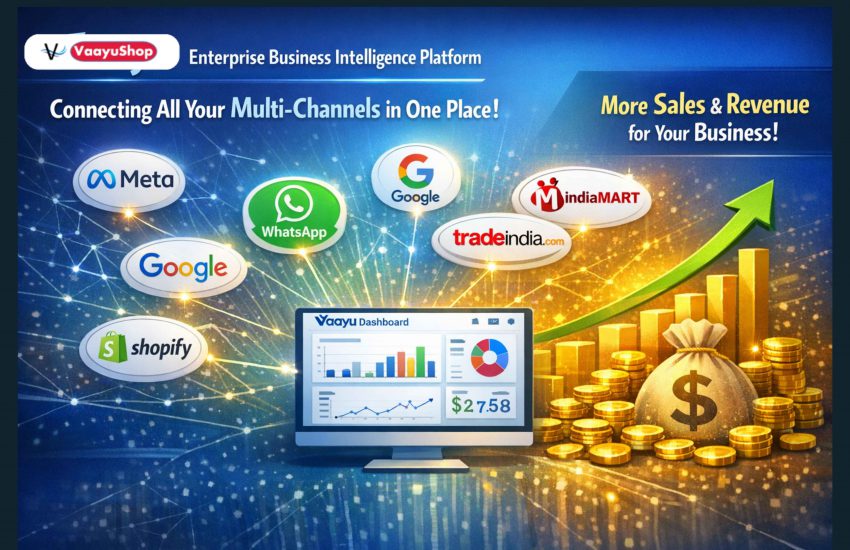
The real value of AI for enterprises is not only in answering a few customer queries, but in streamlining how your business operates: centralising all customer information, standardising sales workflows, and creating repeatable SOPs that stay with the organisation even when people leave. With AI Kavya & Vaayu business intelligence platform, you can build a structured, company‑owned system of your customers, sales, leads and interactions that becomes the single source of truth for decisions, follow‑ups, and future growth.
In this guide you will learn how to set clear expectations for your team, design a simple 90‑day rollout plan, and embed disciplined usage of Vaayu into daily operations. You will also see why top leadership must treat this as a change‑management initiative, not just a software rollout—because people will naturally resist moving away from old habits, and sustained commitment from leadership is what makes the new system stick and deliver maximum, long‑term ROI.
Month 1: Set up and go live on key channels
In the first month, the goal is to make AI Kavya visible and usable for your customers everywhere they talk to you.
- Connect your main customer channels
- WhatsApp business number: Connect it to Vaayu so AI Kavya can chat with customers 24/7.
- Website: Deploy AI kavya on your website so visitors can talk to Kavya directly.
- Meta (Facebook/Instagram) ads: Ensure leads from are are routed to Kavya via click-to-whatsapp ads.
- Tradeshows and events: Use Vaayu’s special QR codes on standees, brochures and screens so visitors scan and directly interact with Kavya on WhatsApp.
At the end of Month 1, leadership should formally announce to the whole team: “All customer conversations must happen via Vaayu channels (WhatsApp, website chat, QR, Meta messages).”
Month 2: Start Click‑to‑WhatsApp ads and weekly outreach
In Month 2, you shift from “setup” to “steady inflow of leads”, mainly using Meta Click‑to‑WhatsApp ads so customers can directly talk to Kavya.
- Launch Click‑to‑WhatsApp Meta ads
- In Meta Ads Manager, create a new campaign with objective “Leads” with CTA as WhatsApp business account.
- Use simple, clear creatives: Highlight the benefit for your customers to get offers/test drive/site visit/quotation.
- Start with a small daily budget, then increase once you see steady, good‑quality conversations.
- Connect ads to Kavya
- Ensure the WhatsApp number used in ads is the same one integrated with Vaayu so every interaction is captured as a lead.
- Run weekly marketing campaigns
- Weekly Target: connect with 500–1000 customers/prospects per week via WhatsApp broadcasts, retargeting ads, and follow‑ups on old leads.
- Use Kavya for: first response, FAQs, basic qualification; hand over to humans only when lead is “hot” (ready for visit, demo, or deal discussion).
- Track: how many leads generated, how many were qualified, how many moved to meeting/quote.
By the end of Month 2, you should see a predictable weekly volume of new and re‑engaged leads, all landing inside Vaayu.
Month 3: Make Vaayu the single source of truth
In Month 3, focus is internal discipline: every sales or customer‑facing person must live inside Vaayu for all lead updates.
- Set simple internal rules
- “If it’s not in Vaayu, it did not happen” – no Excel sheets, scattered WhatsApp chats, or personal diaries for customer data.
- Every call, visit, demo, quotation, and follow‑up must be logged as an activity in the lead’s Vaayu record.
- Assign clear owners: each lead must have a responsible sales person or team.
- Use Vaayu dashboards in leadership reviews
- Daily or weekly review should open directly in Vaayu: new leads, response times, follow‑ups pending, and stage‑wise funnel.
- Leaders should ask questions only from the system: “Why is this hot lead not contacted in last 2 days?” “How many test drives/site visits done this week?”
- Celebrate wins where team used AI Kavya correctly, and call out cases where people bypassed the system.
- Train team on basic CRM best practices (in simple language)
- Keep all lead details complete: name, phone, city, channel, product interest, budget.
- Always set next action and due date after every interaction, so no lead is forgotten.frappe+1
- Follow a simple cadence: multiple touchpoints over a few weeks instead of one call and then silence.
Once this discipline is in place, it becomes your single source of truth for all customer and sales information.
Mindset shift: AI as a foundation, not just Q&A
For enterprises new to AI, it is important to understand why this matters.
- AI is your always‑on sales assistant
- Kavya works 24×7: answering questions, collecting details, qualifying interest, and booking the next steps.
- This means no missed leads from late‑night ads, website visits, tradeshows, or weekend inquiries.
- Structured data today = smarter decisions tomorrow
- Every conversation handled via Vaayu AI becomes searchable, structured data: who showed interest, in what product, from which channel, and what happened next.
- Over time, AI can show patterns: which campaigns bring serious buyers, which cities respond better, which salespeople convert more, what offers work best.
- Bear‑minimum digital foundation
- Even if you are not “tech‑savvy”, using Kavya + Vaayu as described above is now the minimum standard to compete in modern markets.vaayushop+2
- Once this base is strong, you can later add advanced automation, forecasting, dealer management, and finance flows on top of the same system.vaayushop+1
Simple 90‑day checklist for your team
Use this as a quick reference in internal trainings.
| Week range | What to focus on | Key outcomes |
|---|
| Week range | What to focus on | Key outcomes |
|---|---|---|
| Weeks 1–2 | Connect WhatsApp, website , Meta Ads; set up QR for tradeshows | Kavya live on all key channels. |
| Weeks 3–4 | Setting up team access, start assigning leads to team | Kavya can answer basics and collect structured lead info consistently. Leads resposibility is clearly defined |
| Weeks 5–8 | Launch Click‑to‑WhatsApp ads on meta & start weekly marketing outreach | Run click to whatsapp meta ads 500–1000 customers touched weekly, all interactions and leads visible in Vaayu dashboard. |
| Weeks 9–12 | Enforce “everything in Vaayu”; leadership reviews from dashboards | Team habit built, no lead leakage, Vaayu becomes single source of truthvaayushop+3 |